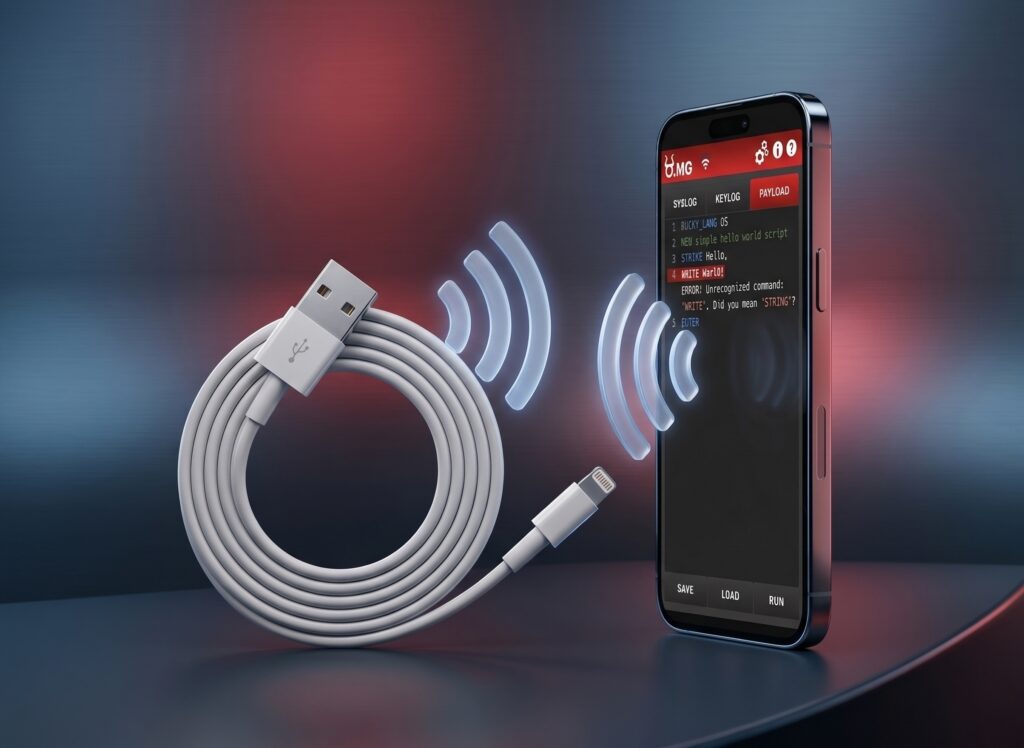
The USB O.MG Cable is a malicious USB cable that appears identical to a standard charging cable (Lightning, USB-C, or Micro-USB) but contains a hidden wireless implant. It was designed by security researcher “MG” and initially showcased at DEF CON as a tool for cybersecurity red teams to test organizational defenses.
When dormant it behaves like an ordinary USB 2.0 cable, charging and transferring data normally. On command it acts as a keyboard, typing at machine speed into the connected host, and on Elite hardware it can log keystrokes from a real keyboard passing through it. The implant carries its own Wi-Fi radio, which is both what makes it dangerous and the most reliable way to find one.
Table of Contents
This information is provided for general awareness and defense purposes only. This information also is not intended to be a complete description of the functionality or risks of the identified tools.
Quick Facts
- What it is: A commercially sold cable with a Wi-Fi-enabled implant hidden inside the connector housing, sold openly by Hak5 as a penetration testing tool.
- What it does: Keystroke and mouse injection, an onboard hardware keylogger on Elite hardware, and remote control through a browser-based interface.
- How it hides: It is built to match commercial cables in appearance and weight, and it behaves as an ordinary USB 2.0 cable until a payload runs.
- Form factors: USB-A or USB-C active ends, with Lightning, Micro USB, or USB-C passthrough ends, in several jacket materials and lengths.
- Anti-forensics: Geo-fencing and self-destruct are standard features, so a recovered cable may contain nothing.
- Where detection actually works: The implant’s own radio. Host telemetry and visual inspection both fail by design.
What Is the O.MG Cable?
O.MG Cables resemble standard, commercially available charging cables and are sold in a range of connector combinations. The implant lives inside the connector housing, alongside a microcontroller and antenna small enough that the cable retains normal charging and data behavior. A 2D X-ray can reveal the antenna and controller; the stacked silicon inside has only been resolved publicly with industrial CT scanning.
Capability varies by tier. The figures below are the manufacturer’s published specifications rather than independently measured results, and Hak5 notes they reflect current beta firmware.
| Capability (vendor-published) | Basic (Gen 1) | Elite (Gen 3) |
| Keystroke injection | DuckyScript 2 | DuckyScript 3 |
| Mouse injection | Yes | Yes |
| Payload slots | 8 | 50 to 300 |
| Maximum payload size | 4,000 keystrokes | 1,500,000 keystrokes |
| Maximum injection speed | 120 keys/sec | 890 keys/sec |
| Hardware keylogger | No | Yes, 650,000 keystroke capacity |
| Wi-Fi triggers | Yes | Yes |
| Encrypted network C2 | No | Yes |
| Geo-fencing and self-destruct | Yes | Yes |
| Keyboard layouts | 192 built-in keymaps across both tiers | |
Units ship deactivated and require the vendor’s O.MG Programmer to activate or update firmware. The same device family includes other form factors, and the broader implant class includes the Bash Bunny, the USB Rubber Ducky, the USB Ninja Cable, and ESP32-based homebrew injectors.
How Does It Work?
To camouflage its capability, the cable performs exactly as expected, providing charging and data transfer to the connected device. Meanwhile the implant can host its own Wi-Fi access point, which the operator joins from a phone or laptop to drive a web interface: writing payloads, launching them, and retrieving captured data.
- Keystroke injection. The cable declares itself as a keyboard and types. Because the operating system extends full trust to HID devices, no file is written and no signature exists to detect.
- Hardware keylogging. Elite hardware can passively capture keystrokes from a real keyboard connected through the cable and store them onboard, which means exfiltration does not have to happen live.
- Wi-Fi triggers. A payload can be armed to fire when a particular wireless condition is met, separating the moment of placement from the moment of execution.
- Geo-fencing. Payload behavior can be conditioned on location, including destroying itself if the cable leaves a defined area.
- Self-destruct. The implant can wipe its payloads and captured data and render itself inert, recoverable only with the vendor’s programmer.
Independent coverage of the Elite hardware, including its keylogging capacity, is available in The Verge’s review of the device.
Has an O.MG Cable Ever Been Used in a Real Attack?
This is the most common skeptical question about the device, and it deserves a direct answer rather than a marketing one.
There are no publicly verified, attributed cases of juice jacking at public charging infrastructure. The FCC has acknowledged as much, and security vendors including ESET and Malwarebytes have reported the same finding. Anyone who tells you these attacks are common at airport charging stations is overstating the evidence.
That is the wrong metric for this device, though, because it conflates two different threats. Juice jacking is opportunistic and mass-market. A cable implant is targeted, proximity-based, and usually insider-adjacent, which is precisely the category least likely to be publicly disclosed. Two reference points carry the argument better than incident counts:
- The capability is not new, only cheap. The NSA ANT catalog’s COTTONMOUTH-I established USB implant tradecraft at nation-state cost. The O.MG cable collapsed the same concept to a price any red team, competitor, or motivated insider can afford.
- Hardware implants have been used for financial crime. The Dark Vishnya intrusions documented by Kaspersky in 2018 involved physical devices planted inside eight European banks with losses in the millions. Those were network-connected devices rather than cables, but the delivery model, walking hardware into a building, is identical.
How Far Away Does the Operator Have to Be?
Interactive control happens over the implant’s own Wi-Fi, so the working range is ordinary 2.4 GHz range and depends heavily on the building. Think of a parking lot, an adjacent office, or a lobby, not a distant vantage point.
- Interactive control: The operator joins the cable’s access point and drives a browser interface. Normal Wi-Fi distances apply.
- Wi-Fi triggering: A payload can be activated by a wireless condition at greater distance than interactive control, but that is one-way triggering rather than two-way command and control.
- Encrypted network C2: Elite hardware supports operating over a network instead of the onboard access point. Once the implant has network reach, physical proximity stops mattering entirely.
The claim that these cables can be controlled from a mile away circulates widely and is not supported by the manufacturer’s specifications. The useful way to think about range is not a radius at all: the implant transmits, so your airspace is the detection boundary.
USB Cable Exfiltration and C2
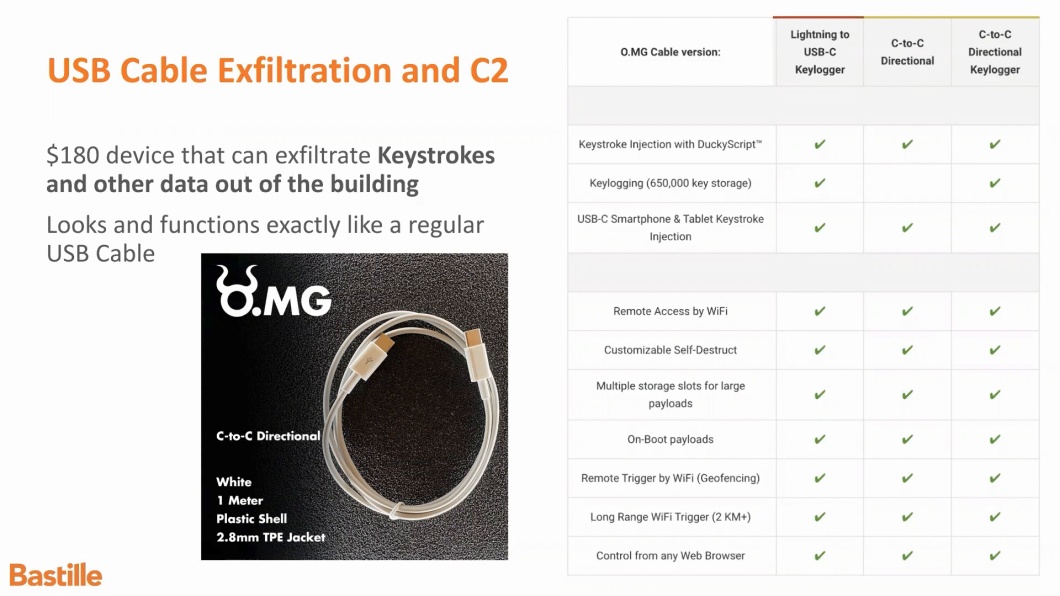
Co-founder Bob Baxley discusses the functionality and risk of the O.MG Cable.
How Do I Detect an O.MG Cable?
Physical inspection does not work. The cable is built to match commercial products, and the implant sits inside the connector where nothing is visible. Cheap knock-off implants are often obvious; these are not. Here is how the available methods actually compare:
| Method | Effective? | Caveats |
| Visual inspection | No | The implant is inside the housing and the cable matches commercial products |
| Weight and feel comparison | Unreliable | Sometimes catches low-quality implants; not a control |
| USB current or power meter | Partial | Anomalous draw can show, but the operator needs to know the baseline |
| 2D X-ray | Partial | Antenna and microcontroller visible; stacked silicon is not |
| Industrial CT scan | Yes | A lab technique, not a screening control; does not scale |
| Side-channel cable detector | Yes, as triage | Flags abnormal cable behavior; vendor documentation is explicit it is not a forensic tool |
| EDR and host telemetry | Partial | Nothing is written to disk; depends on behavioral rules and only fires after execution |
| Continuous RF monitoring | Yes, for the radio | Detects and localizes the implant when it transmits, independent of host visibility |
The sharpest follow-up question is what detection looks like while the cable is dormant, because until a payload runs it behaves as an ordinary USB 2.0 cable and both host telemetry and data-line inspection stay quiet. Two answers survive that question: side-channel power analysis on a specific suspect cable, and RF monitoring the moment the implant’s radio becomes active.
Do My Existing Endpoint Controls Stop It?
Partially, and the honest accounting matters more here than reassurance.
- Blocking USB mass storage does nothing. The attack arrives as keystrokes through the same device class as the keyboard your users need.
- VID/PID and serial allow-listing raises the bar meaningfully through Windows device installation policy, Intune, or USBGuard on Linux. Two limits are consistently raised: the implant can spoof USB identifiers, and allow-listing cannot help on a machine where the malicious device is the only keyboard, a limitation the USBGuard documentation itself states.
- Dual-HID detection is the best cheap heuristic. A second keyboard enumerating on a machine that already has one is a strong signal, and it survives identifier spoofing.
- Keystroke-timing heuristics are real but evadable. Open-source and academic approaches exist, and injection speed is configurable, so an operator can simply slow down.
- Screen-lock policy is underrated. Injection into a locked session fails, so aggressive inactivity locking plus USB blocking while locked is cheap and effective.
The productive framing is layered rather than absolute: device control raises the attacker’s cost, behavioral EDR rules can catch execution, and RF monitoring catches the implant’s radio. None of the three is sufficient alone.
Do Data Blockers and Charge-Only Cables Help?
Yes, for the charging case, and they are inexpensive. A charge-only cable with the data lines physically absent is the stronger version, because there is nothing to re-enable. Two limitations come up consistently. A blocker cannot help when you genuinely need the data connection for sync, tethering, or peripherals. More importantly, a blocker only helps if the blocker itself is trustworthy: the same logic that makes a cable an attack surface applies to any small inert-looking object in the path, and malicious hardware has been built into that form factor deliberately.
Phones, the Trust Prompt, and ChoiceJacking
“My phone asks me to trust the device, so I am protected” was a reasonable answer from roughly 2013 until 2025. It no longer is.
ChoiceJacking, presented at USENIX Security 2025 by researchers at Graz University of Technology, showed that a malicious charger can impersonate an input device and confirm the trust prompt itself. The paper reports success across eleven tested Android and iOS devices, with file access achieved in hundreds of milliseconds on several Samsung devices and ADB access on Xiaomi devices that had never been configured for development. Some techniques worked against locked devices.
Vendors responded: iOS 18.4 requires a passcode or biometric before a new USB data connection is established, and Android 15 added equivalent protection, with rollout varying by manufacturer. The practical takeaway is that patched, locked, modern phones are in reasonable shape, and the risk concentrates on unlocked devices, older Android builds, and OEM-lagged patch levels.
Air-Gapped Facilities, SCIFs, and Classified Spaces
“We have no Wi-Fi in the facility” is a common reason teams dismiss this threat, and it does not hold. No corporate Wi-Fi is not the same as no RF. The implant brings its own transmitter and does not need the facility’s network to operate or exfiltrate. Elite hardware stores captured keystrokes locally, so a store-and-forward model works even when the operator was never in range during the capture window.
Existing mandates already reflect this. ICD-705, the Department of Defense wireless intrusion detection requirement for SCIFs and SAPFs, NIST SP 800-153, and PCI DSS wireless scanning requirements all assume RF monitoring is necessary in sensitive space. It is also worth noting that even fully hardwired facilities contain radios by default: management interfaces, BLE in hardware, cellular modems inside equipment, wireless building controls, RFID badging, and staff devices. See wireless intrusion detection for secure facilities for how those requirements map to monitoring.
Supply Chain and Procurement
Baiting is the most-discussed delivery path: cables left in conference rooms, handed out as conference swag, found in hotel rooms, or swapped into a bag during travel. Treating found and promotional cables as hostile by default costs nothing and removes the most common path.
- Issue and inventory cables centrally, and mark or color-code approved ones.
- Prohibit unknown cable adapters, USB-to-Ethernet adapters, and UART adapters by policy, with written approval required for exceptions.
- Epoxy or cage unused ports in high-security zones.
- Understand the limit: serial-level allow-listing contains the blast radius from a compromised batch, but a factory-backdoored device carries valid identifiers. That case remains genuinely unsolved.
What to Do If You Find One
Assume the device is designed to frustrate your investigation. Host-side artifacts are minimal by design, and both self-destruct and geo-fencing can leave a recovered cable holding nothing at all.
- Preserve the device. Bag it, document where it was found and what it was connected to, and do not plug it into another machine to “check.”
- Do not power it into an unknown network. Powering the implant can trigger conditions you cannot observe.
- Treat RF telemetry as primary evidence. If you have continuous wireless monitoring, the record of when the implant transmitted may be the only durable evidence of its activity window.
- Scope from the host side in parallel. Look for HID enumeration events, process creation within seconds of insertion, encoded command lines, and persistence writes.
- Send it to a lab, not a field kit. Triage tools are explicitly not forensic tools, and lab analysis is a separate workstream.
How Bastille Detects Wireless Cable Implants
There is no physical inspection of a cable that reliably reveals an implant. What an implant cannot hide is its radio. Bastille performs 100% passive monitoring of the RF spectrum from 100 MHz to 7.125 GHz using software-defined radios, observing transmissions directly rather than inferring them from network traffic.
Detect the transmitter
Identify a Wi-Fi access point or beacon that belongs to no known device, including hardware that never joins your network and appears in no inventory.
Localize it
Pinpoint where the transmission originates so a team can physically recover the cable, rather than knowing only that something is emitting somewhere in the building.
Alert by zone
Set RF geofences so an unexpected emitter in a SCIF, executive office, lab, or data center raises an alert the moment it appears.
Two honest caveats, because practitioners rightly ask about both. Detection depends on the implant transmitting; a cable sitting dormant in a drawer is not an RF event. And identifier randomization complicates fingerprinting, which is why classification and localization matter more than address matching. RF monitoring closes a specific blind spot that endpoint tooling cannot reach. It works alongside device control and policy, not instead of them. For the wider picture, see rogue wireless access point detection and mitigation.
Claims Worth Correcting
- “Controllable from up to a mile away.” Not supported by vendor specifications. Interactive control is ordinary 2.4 GHz range; longer distances apply to triggering only.
- “Completely undetectable.” Undetectable by eye and by host telemetry while dormant, yes. Side-channel analysis and RF monitoring both detect it.
- “It costs about $30 in parts.” That figure applies to homebrew equivalents, not the commercial product.
- “Juice jacking attacks are common.” No publicly verified cases as of 2026. The targeted-implant scenario is the one worth planning against.
- “The iOS Trust prompt handles it.” Superseded by ChoiceJacking, and accurate only on iOS 18.4 or Android 15 and later with current patches.
- “It is the NSA cable.” Third-party marketing shorthand that conflates it with COTTONMOUTH and inflates expectations.
Frequently Asked Questions
What is an O.MG cable?
It is a charging cable with a Wi-Fi-enabled implant concealed inside the connector housing, sold openly as a penetration testing tool. It charges and transfers data like a normal cable while being able to inject keystrokes, log keystrokes from a keyboard passing through it, and be controlled remotely through a browser interface.
Can you tell an O.MG cable by looking at it?
No. It is manufactured to match commercial cables in appearance and feel, and the implant sits inside the connector. A 2D X-ray can show the antenna and controller, and industrial CT resolves the internals, but neither is a practical screening control at scale.
Has an O.MG cable been used in a real attack?
There are no publicly verified juice-jacking incidents at public charging infrastructure, and the FCC has said so. Targeted hardware implants are rarely disclosed publicly, and hardware implants have been used in real financially motivated intrusions such as the Dark Vishnya bank attacks, so absence of public cases is weak evidence either way.
How far away can an O.MG cable be controlled from?
Interactive control runs over the cable’s own Wi-Fi at ordinary 2.4 GHz range, so realistically an adjacent room, a nearby office, or a parking lot. Wi-Fi triggering works at greater distance but is one-way. Elite hardware can also operate over a network, at which point proximity no longer applies.
Does blocking USB storage stop an O.MG cable?
No. The attack is keystroke injection through the HID class, which is the same class as a legitimate keyboard. Storage policy does not touch it.
Will EDR detect an O.MG cable?
Not the injection itself, since nothing is written to disk. Well-tuned behavioral rules can catch what follows, such as a new HID enumerating followed within seconds by a process spawn, an encoded command line, or a persistence write. That detection is post-execution and depends on rules most environments have not built.
Do USB data blockers protect against malicious cables?
They protect the pure charging case, and charge-only cables with omitted data lines are stronger still. They cannot help when a data connection is actually needed, and they only help if the blocker itself came from a trusted source.
Does the iPhone Trust prompt protect me?
Only on current software. ChoiceJacking research presented at USENIX Security 2025 showed a malicious charger can confirm the prompt itself by impersonating an input device. iOS 18.4 and Android 15 added authentication requirements that address this; older or unpatched devices remain exposed.
Is an O.MG cable a threat in a facility with no Wi-Fi?
Yes. The implant carries its own radio and does not need your network, and Elite hardware stores captured keystrokes locally for later retrieval. That is why RF monitoring, not network monitoring, is the control that applies in air-gapped and classified spaces.
What should I do if I find a suspicious cable?
Preserve it rather than testing it, record where it was found and what it was attached to, and do not power it into an unknown network. Scope the connected host for HID enumeration and immediate post-insertion process activity, and treat any RF telemetry you have as evidence of the implant’s activity window.
Is it legal to own an O.MG cable?
They are sold openly as penetration testing tools and ship deactivated, requiring the vendor’s programmer to activate. Legality turns on use: testing systems you own or have written authorization to test. Red teams commonly use the geo-fencing and self-destruct features as scope-control measures during engagements.
What Can I Do to Defend Against This Threat?
Bastille recommends layering these controls, each of which covers something the others miss:
- Purchase and issue cables centrally: buy from reputable vendors, inventory what you issue, and treat found or gifted cables as hostile.
- Monitor RF in your space: continuous passive monitoring detects and localizes an implant’s radio when it becomes active, including in facilities with no wireless network of their own.
- Enforce device control and screen lock: allow-list USB devices where practical, alert on a second keyboard enumerating, and lock sessions aggressively so injection has no session to type into.
- Write the policy down: prohibit unknown cable adapters and USB-to-Ethernet devices without approval, and give staff one concrete instruction, which is to use only issued cables.
- Be cautious with public charging: use charge-only cables or your own power bank rather than provided cables and ports.
- Plan the response before you need it: decide now how a found device is preserved, who analyzes it, and what evidence you will have.
Wireless implants are designed to be invisible to the controls most organizations already own. Seeing them requires watching the airspace itself. See a demo to understand what Bastille observes in an environment like yours.