Picture this. You sit down and open your Wi-Fi settings to select your familiar network. Reading the list quickly, you see a network with the same name as your known network. You select it and continue working as usual. What you did not know is that an attacker had set up a rogue access point using a Wi-Fi Pineapple, and can now see your activity without your realizing.
That scenario is well understood, and it is also the part of this threat that has changed the most. Widespread HTTPS made traffic interception far less valuable than it was a decade ago. What did not go away is the association itself: getting a device to connect to attacker-controlled infrastructure, capturing credentials at a fake portal, inventorying the devices in a space, and gaining a first foothold on a network the attacker never physically touched.
Table of Contents
This information is provided for general awareness and defense purposes only. This information also is not intended to be a complete description of the functionality or risks of the identified tools.
Quick Facts
- What it is: A commercially sold wireless auditing platform from Hak5, built to stand up access points and run rogue AP and evil twin scenarios out of the box.
- What it does not do: It does not crack Wi-Fi passwords. The primary attack path is impersonation and association, not decryption.
- The client is the vulnerability: Devices remember networks and look for them. Every remembered network name is a name an attacker can present.
- What changed: HTTPS and HSTS largely ended casual traffic interception. Credential capture at fake portals, device tracking, and initial network access did not go away.
- The strongest control: 802.1X with centrally enforced server certificate validation, because a rogue cannot present a valid certificate for your network.
- The most common blind spot: A rogue device with its own uplink never touches your wired network, so switch-port correlation never sees it.
What Is the Wi-Fi Pineapple?
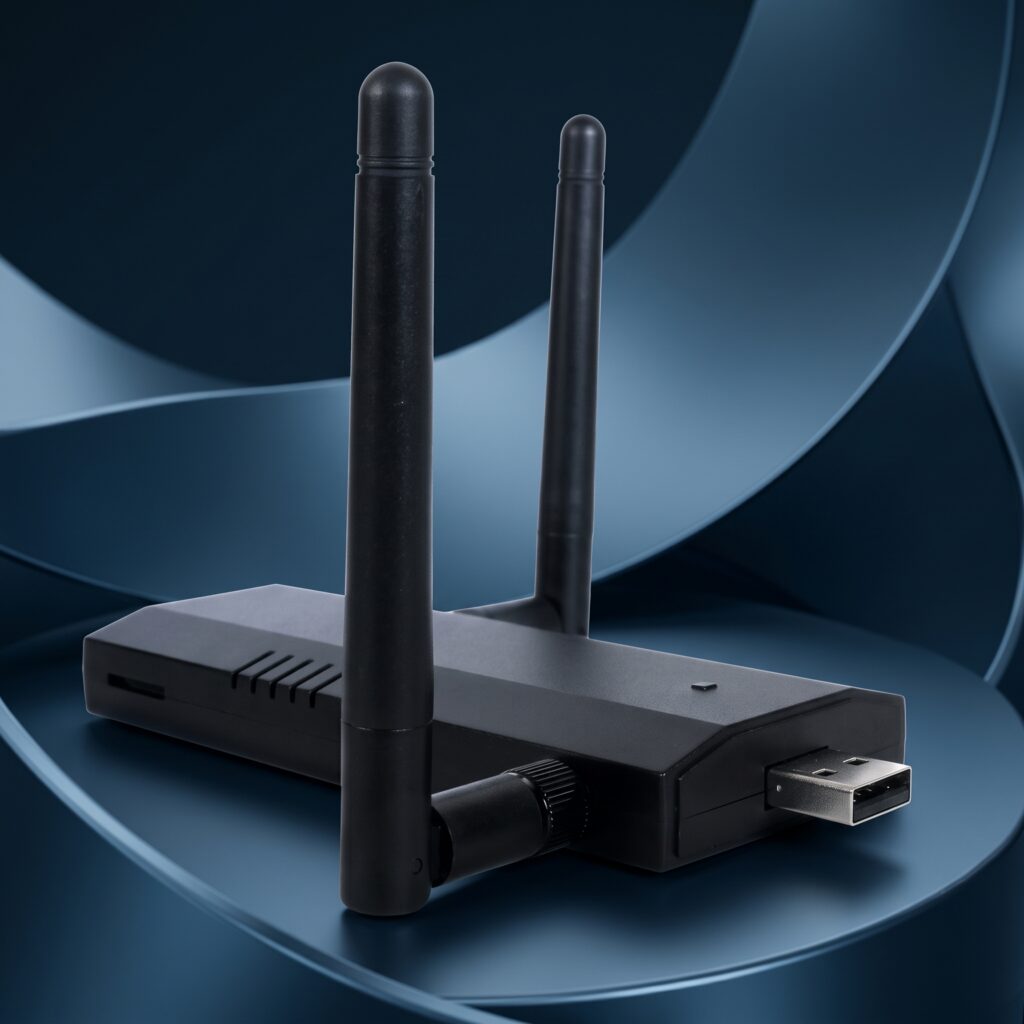
The Hak5 Wi-Fi Pineapple is a purpose-built wireless auditing platform sold openly as a penetration testing product. It combines multiple radios, a management interface, and a module ecosystem so an operator can survey an environment, stand up access points, and run client-side wireless attacks without assembling any of it themselves.
It is legitimate equipment used by legitimate testers, and it is also the reason rogue AP attacks stopped requiring specialist skill. A clone and firmware ecosystem exists around repurposed travel routers and single-board computers, so the capability is not limited to the branded hardware. Defensively, treat this as a category rather than a product, alongside the Flipper Zero, the O.MG Cable, and the USB Rubber Ducky.
Evil Twin, Rogue AP, and KARMA Are Not the Same Thing
These three terms get used interchangeably and mean different things, which matters because they call for different detection.
| Term | What it means | Detection angle |
| Rogue access point | Any unauthorized AP operating in your space, including a well-meaning employee’s personal hotspot | Inventory and authorization: does this AP belong here? |
| Evil twin | An AP impersonating one specific known SSID to draw its clients | Same SSID with an unexpected BSSID, encryption, or signal profile |
| KARMA and MANA | Responding to whatever network names clients ask for, rather than cloning one target | An AP answering to many unrelated SSIDs, or beaconing a large set of names |
The distinction that matters: an evil twin targets one network, while KARMA-family behavior scales across every device in range regardless of which network they belong to. Our team has covered this in detail in the KARMA and MANA briefing.
How Does It Work?
The attack begins with client behavior, not with the access point. Devices maintain a Preferred Network List of networks they have joined before, and they will rejoin a network with a familiar name automatically. A rogue AP presenting that name can win the association without ever knowing the original password, because for an open network there is nothing to prove.
- Impersonation, not cracking. The device advertises a name a client trusts. No password is broken.
- Positioning. Once associated, the rogue sits between the client and the internet, seeing DNS lookups, metadata, and anything not protected in transit.
- Portals. A convincing captive portal asks for credentials, and users supply them because being asked to log in on a public network is normal.
- Deauthentication. Detaching clients from the legitimate AP encourages them to reconnect, and they may land on the rogue. Note that deauthentication does not disable the real network; both remain visible.
Is the Wi-Fi Pineapple Still a Threat?
Yes, but not the way it was in 2015, and the honest version of this answer is more useful than either the dismissal or the hype. Three developments are commonly said to have killed this attack. Each is partly right.
- HTTPS and HSTS ended SSL stripping. Largely true. Downgrade attacks against modern browsers and preloaded sites do not work. What survives is credential capture at portals, DNS manipulation, metadata collection, non-browser clients with weak certificate validation, and the window before a tunnel establishes.
- MAC randomization and probe suppression ended KARMA. Partly true. Modern phones broadcast far less about their network history than they used to. Directed probes still occur, notably for hidden networks, which require them by design. Enterprise-managed profiles, long-lived IoT, and OT devices frequently behave like clients from a decade ago, and beaconing variants do not depend on harvesting probes at all.
- WPA3 solved rogue APs. The most over-claimed of the three, covered in the next section.
The accurate framing is that the attack moved rather than disappeared. Its value shifted from reading traffic toward association, credential capture, device inventory and tracking, and initial access to a network the attacker could not otherwise reach.
Defenses People Over-Trust
A VPN protects me
Partially. A VPN protects the confidentiality of traffic inside the tunnel. It does not prevent the device from associating with the rogue in the first place, does not cover the window before the tunnel establishes, does not stop denial of service, does not protect DNS and metadata that leak outside the tunnel, and does nothing at all if a user types credentials into a fake portal.
WPA3 fixes this
This is the single most over-claimed control in the category. WPA3 improves the handshake substantially, and it does not close the rogue AP problem on its own:
- Transition mode is the core issue. An access point accepting both SAE and PSK allows a rogue to advertise WPA2 only. If the client does not insist on SAE, the downgrade succeeds.
- Dragonblood research in 2019 documented side-channel and denial-of-service weaknesses in the SAE handshake itself.
- WPA3-Enterprise inherits every 802.1X certificate validation weakness that WPA2-Enterprise had. The protocol version does not fix a client that accepts any certificate.
- The answers exist but adoption lags. SAE-PK provides evil twin protection for public WPA3-Personal networks, and Transition Disable blocks active downgrade. Both depend on client enforcement that is still uneven.
Protected Management Frames stop deauthentication
True on a network that fully enforces 802.11w, and that is the catch. Mixed-mode deployments, legacy clients, and IoT hardware that cannot do PMF leave gaps. More importantly, a client can be induced to associate with a rogue without any deauthentication at all, so PMF closes one path rather than the vector.
802.1X with certificates closes it
This is the strongest control available, because a rogue cannot present a valid certificate for your network. The qualifier is decisive: it only holds if the client actually validates the server certificate. The academic literature is blunt that evil twin attacks against 802.1X succeed precisely where the victim device does not verify the authentication server certificate. Weak inner methods make credential theft easier still. Validation has to be enforced centrally through MDM or Group Policy, never left to a prompt a user can accept.
Users will notice
A prompt a user can click through is not a control. DEF CON’s Wall of Sheep exists as an annual demonstration that even a security-literate population connects to things it should not.
How Would I Know? Detection in Practice
Detection answers differ completely depending on whether you are one person on a laptop or a security team responsible for a building.
From the client side, poorly. The indicators worth knowing are a duplicate network name with a different BSSID, an unexpected captive portal on a network that never had one, an open network where an encrypted one should be, a drop from WPA3 or WPA2 to something weaker, and repeated unexplained disconnects. All are indicators rather than proof, and a competent operator can spoof the BSSID too.
From the enterprise side, several methods that each have documented limits. MITRE ATT&CK detection guidance and the academic literature converge on the same set:
| Method | What it catches | Where it breaks down |
| Same SSID with mismatched BSSID | Straightforward impersonation of a known network | Defeated when the operator spoofs the BSSID as well |
| Encryption setting inconsistency | A rogue advertising weaker security than the real network | Misses a rogue that matches your configuration |
| RSSI and signal anomalies | A rogue running hot to win association | Well-documented false positives whenever clients are mobile |
| Wired switch port correlation | An unauthorized AP plugged into your network | Blind to any device with its own uplink, such as LTE backhaul |
| Captive portal and authentication correlation | Credential capture attempts against your users | Requires log sources that many environments do not centralize |
| Periodic physical inspection | Devices left behind in accessible space | Point-in-time only; misses anything placed between walkthroughs |
Two practical problems come up more than any others. Signature and anomaly approaches struggle because normal and attack RF conditions can look nearly identical, which drives false positives and alert fatigue. And detection that does not resolve to a physical location produces alerts nobody can act on. Knowing a rogue exists somewhere in a campus is not the same as being able to go get it.
Compliance and the Containment Problem
Two requirements pull in opposite directions here, and it is worth understanding both before configuring anything.
On the compliance side, PCI DSS drives most enterprise rogue-AP programs, expecting either quarterly scanning of all sites or wireless intrusion prevention deployment where scanning is impractical, automatic alerting on rogue detection, and an incident response plan tied to those alerts. NIST SP 800-153 recommends continuous WIDS and WIPS RF monitoring for wireless environments.
On the legal side, automated containment works by sending deauthentication frames, and that is regulated conduct. The FCC fined Marriott $600,000 in 2014 under Section 333 of the Communications Act for using containment features against guests’ personal hotspots that posed no threat to its network, and followed with a general enforcement advisory that Wi-Fi blocking is prohibited.
The reconciliation most practitioners land on is that the target and manner of containment decide the outcome. Containing a device that is actively attacking your network is defensible. Containing a legitimate third-party network that merely shares unlicensed spectrum with you is not. In practice this means detection and localization should be continuous, while containment stays a deliberate, last-resort decision with a documented basis, not a default setting.
How These Devices Get Into Range
The radio is only half the problem. How the hardware arrives is the other half, and it is what makes wireless a physical security question as much as a network one.
- Drone-delivered. A widely reported 2023 financial services incident involved drones landing on a building roof, one of them carrying a Wi-Fi Pineapple, to reach a network the attacker could not physically approach.
- Vehicle-mounted or parking lot. Wireless bypasses the perimeter completely. Someone in the parking lot never encounters a firewall rule.
- Left behind. Small, battery-powered, remotely controlled hardware means the operator does not have to be present when the attack runs, which is a significant change from earlier evil twin cases where operators were physically caught.
- The physical security gap. Badge systems, cameras, and network access control do not see a device that never joins the wired network.
Is It Legal to Own or Use One?
Owning one is legal. It is a commercially sold penetration testing product, and possession is not the issue. Using one is a different question, and the line is authorization rather than technique.
- Unauthorized access is criminal under the Computer Fraud and Abuse Act and equivalents such as the UK Computer Misuse Act, regardless of intent or how weakly the target was secured.
- Testing your own network is generally fine until other people’s clients associate with it, at which point interception and state computer crime statutes come into play.
- “Security research” is not a blanket exemption. The 2022 DOJ charging policy states that good-faith research should not be charged, and bug bounty scopes grant explicit authorization, but neither is a statutory shield.
- Authorization belongs in writing, naming the SSIDs and BSSIDs in scope, the time windows, and the procedure if something goes wrong.
- Demonstrations in public spaces are a bad idea. Australian federal authorities charged an individual in 2024 over evil twin hotspots operated on domestic flights and in airports.
How Bastille Detects Rogue Access Points
A device impersonating your network has to transmit to be useful, and that is the surface Bastille observes. Monitoring is 100% passive across the RF spectrum from 100 MHz to 7.125 GHz using software-defined radios, which means detection does not depend on the rogue touching your wired network or on any client reporting it.
See devices off your network
Identify access points operating in your space that never connect to your infrastructure, including hardware with its own cellular uplink that switch-port correlation cannot see.
Localize the transmitter
Resolve an alert to a physical location so the response is a person walking to a spot, rather than a ticket saying something is emitting somewhere.
Alert by zone and behavior
Flag duplicated SSIDs, unexpected encryption changes, and new emitters inside defined areas such as a SCIF, trading floor, or data center.
Scope this honestly: RF monitoring tells you a rogue is present and where it is. It does not replace 802.1X with enforced certificate validation, which is what stops the association in the first place, and it does not decide the containment question for you. The two work together, and neither is complete alone. For related coverage see rogue wireless access point detection and mitigation and wireless intrusion detection systems.
If You Are Not on an Enterprise Network
For individuals asking whether public Wi-Fi is safe or whether a neighbor is targeting them, the useful answers are mundane rather than dramatic:
- Turn off automatic joining for open networks, which removes the behavior the attack depends on.
- Prune saved networks periodically. Every remembered name is a name that can be impersonated.
- Prefer a cellular connection or personal hotspot for anything sensitive.
- Treat an unexpected captive portal as suspect, especially on a network that never asked before.
- Never enter credentials because a network prompted you to. Go to the service directly instead.
Frequently Asked Questions
What is a Wi-Fi Pineapple?
It is a commercially sold wireless auditing platform from Hak5 that combines multiple radios with a management interface, designed for penetration testers. It is best known for making rogue access point and evil twin attacks straightforward to run.
Does a Wi-Fi Pineapple crack Wi-Fi passwords?
No. That is the most common misconception about it. The attack works by impersonating a network name a device already trusts and letting the client connect on its own, so no password needs to be broken.
What is the difference between an evil twin and a rogue access point?
A rogue access point is any unauthorized AP in your space, including an employee’s personal hotspot. An evil twin specifically impersonates a known network to capture its clients. KARMA-style attacks go further by answering to whatever network names clients ask for rather than cloning one target.
Is the Wi-Fi Pineapple still a threat in 2026?
Yes, though the payoff has shifted. Widespread HTTPS ended casual traffic interception, but association with attacker-controlled infrastructure, credential capture at fake portals, device inventory and tracking, and initial network access all remain viable.
Does a VPN protect me from an evil twin attack?
Partially. It protects traffic inside the tunnel but does not prevent association, does not cover the period before the tunnel is up, does not stop denial of service or DNS and metadata leakage outside it, and offers nothing if you type credentials into a fake portal.
Does WPA3 stop rogue access points?
Not on its own. Transition mode allows a downgrade to WPA2 when clients do not insist on SAE, the SAE handshake has documented weaknesses from the Dragonblood research, and WPA3-Enterprise inherits the same certificate validation problems as WPA2-Enterprise. SAE-PK and Transition Disable address parts of this, but client adoption lags.
Will my WLAN vendor’s rogue AP detection catch it?
Sometimes. AP-based detection typically relies on same-SSID and wired-side correlation, so it misses a standalone device with its own uplink that never touches your network, and RSSI-based approaches generate false positives when clients are mobile. It also frequently stops short of telling you where the device physically is.
How can I tell if a Wi-Fi network is fake?
Look for a duplicate network name with a different BSSID, a captive portal that was never there before, an open network where an encrypted one should be, or a sudden drop in encryption strength. These are indicators rather than proof, since a capable operator can spoof identifiers too.
Can I automatically knock a rogue access point offline?
Be careful. Containment sends deauthentication frames, and the FCC fined Marriott $600,000 in 2014 for using containment against guests’ personal hotspots. Containment aimed at a device genuinely attacking your network is defensible; containment against a legitimate third-party network is not. Treat it as a deliberate, documented last resort.
Is it legal to own a Wi-Fi Pineapple?
Yes. It is sold openly as a penetration testing product. Using it against networks or clients you do not have written authorization to test is what creates criminal exposure, regardless of intent.
Someone deauthenticated me. Am I being attacked?
Not necessarily. Repeated disconnects are frequently ordinary interference or a congested channel. Deauthentication is an indicator worth noting, particularly alongside a duplicate network name appearing, but on its own it is weak evidence.
What actually stops this attack?
802.1X with server certificate validation enforced centrally through MDM or Group Policy, because a rogue cannot present a valid certificate for your network. Pair it with automatic joining disabled for open networks, PMF where clients support it, and continuous RF monitoring to find devices that appear anyway.
What Can I Do to Defend Against This Threat?
Bastille recommends these controls, ordered by how much they actually change the outcome:
- Enforce certificate validation centrally: deploy 802.1X with server certificate validation pushed through MDM or Group Policy, and remove the user’s ability to accept an unknown certificate.
- Harden client behavior: disable automatic joining of open networks, prune stale saved networks on managed devices, and enable Protected Management Frames wherever clients support it.
- Monitor the RF spectrum continuously: passive monitoring detects and localizes rogue access points whether or not they touch your wired network, which is the gap most rogue-AP tooling leaves open.
- Decide the containment question in advance: document when containment is authorized, who approves it, and how you establish that a device is attacking you rather than simply nearby.
- Write RF hardware into policy: name wireless auditing devices, personal hotspots, and contractor equipment explicitly in acceptable use, and decide in advance whether physical security or IT owns the response.
- Be wary of public networks: prefer cellular for sensitive work, and treat any unexpected login prompt on a public network as hostile until proven otherwise.
Rogue access points succeed because they operate in the space between your network controls and your physical security, where neither is looking. Watching the airspace is what closes that gap. See a demo to understand what that looks like in your environment.